
tanstack-fetch 1.3 → 1.4.2
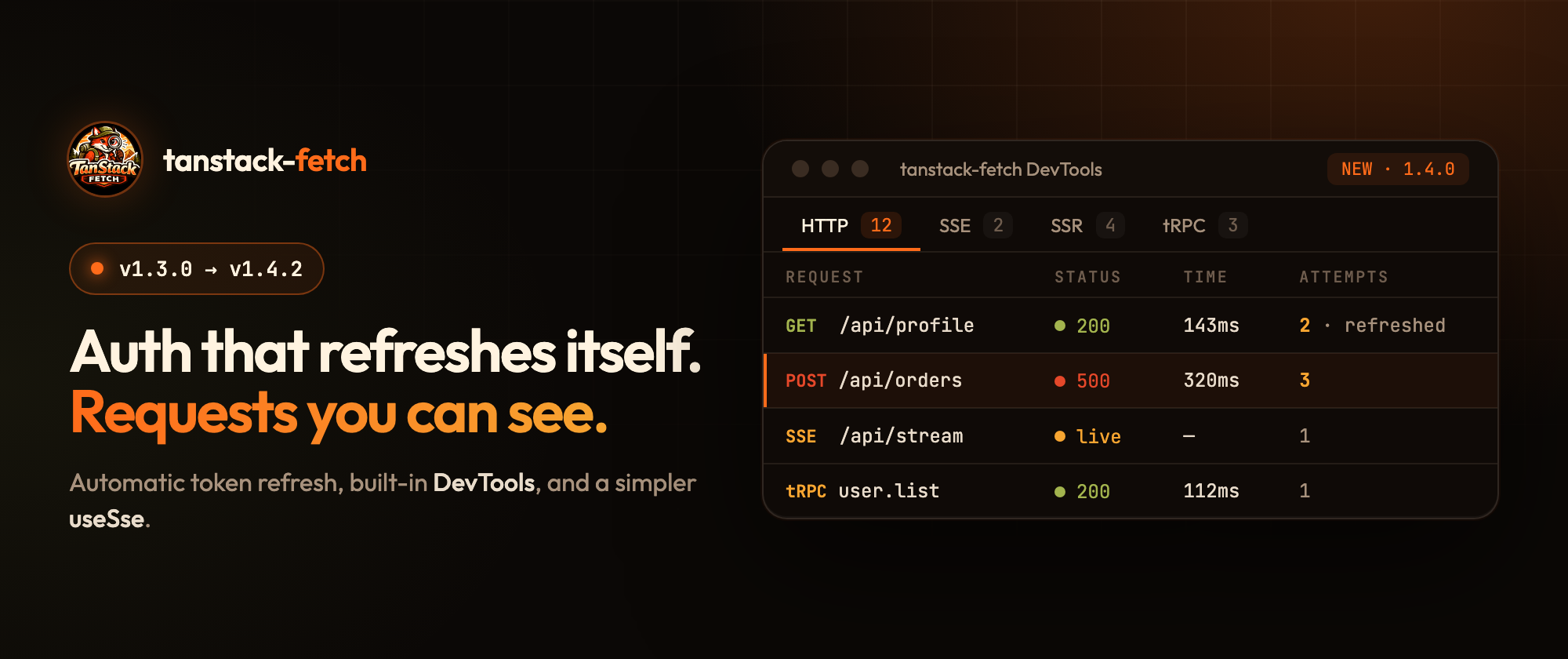
tanstack-fetch is a typed fetch client built for TanStack Query. It works with SSR, SSE and tRPC. This post covers what changed from 1.3.0 to 1.4.2. Most of it came from two things I kept hitting in real projects:
- Refresh-token logic that everyone writes by hand, and gets subtly wrong.
- Not being able to see what a request actually did: how many retries it took, whether the token was refreshed, and which file sent it.
1.3.0: Refresh tokens without the boilerplate
If you've built refresh-token handling on top of fetch or axios, you know the usual problems:
- Five requests fail with
401at the same time, and each one starts its own refresh. - The refresh request itself goes through the auth interceptor and loops.
- The token is already expired, but you only find out after a round trip.
createRefreshTokenInterceptor handles all of this:
import { createRefreshTokenInterceptor } from 'tanstack-fetch/plugins'

api.use(
  'refresh-token',
  createRefreshTokenInterceptor({
    refresh: async () => {
      const body = await api.post<{
        accessToken: string
        expiresIn: number
      }>('/auth/refresh', {
        // don't run the refresh request through these interceptors
        interceptors: { eject: ['refresh-token', 'auth'] },
      })
      /* persist body.accessToken + expiresAt */
    },
    before: {
      getExpiresAt: () => expiresAt,
      skewMs: 60_000, // refresh one minute before expiry
    },
    after: { enabled: true },
  }),
)
It works in two ways:
before: refreshes proactively when the token is about to expire, so most requests never see a401.after: on the first401, it refreshes once and retries the original request. The refresh is single-flight: if many requests fail together, they all wait for the same refresh.
The refresh request uses the same api client, so your base URL, headers and plugins still apply. eject just removes the two interceptors that would cause a loop.
1.4.0: DevTools for the whole request lifecycle
This is the biggest change. tanstack-fetch/devtools adds a panel at the bottom of your app that shows every request:
import { createFetch } from 'tanstack-fetch'
import { setupDevtools } from 'tanstack-fetch/devtools'

const api = createFetch({ plugins: ['trace'] })
setupDevtools(api)
That's all. Press Alt+Shift+F (⌥⇧F on macOS) to toggle it.
What you get:
- HTTP: status, duration, number of attempts, and the file that made the call (for example
profile.hook.ts). - SSE: the list of events for each stream, plus live state. A new
onSseCloseinterceptor hook lets DevTools mark a stream asliveand thensuccesswhen it ends. - SSR: requests made on the server show up too.
- tRPC: successful tRPC calls now run
onResponse, so DevTools and your own logging see their timing without consuming the response body. - Call graph: click a node, pick Cursor, Zed or VS Code, and the source file opens in your editor. It remembers your choice.
The trace plugin gives each request a stable requestId, so a request and its retries are grouped together.
You can turn each section on or off:
setupDevtools(api, {
  http: true,
  sse: true,
  ssr: true,
  trpc: true,
  open: true, // start expanded
})
If you have several clients, they can share one store:
import { createDevtools, mountDevtools } from 'tanstack-fetch/devtools'

const dt = createDevtools()
const api = createFetch({ plugins: ['trace'], interceptors: [dt.interceptor] })
mountDevtools({ store: dt.store })
1.4.1 and 1.4.2: A simpler useSse
Two small changes that make the React hook easier to use.
1.4.1: status instead of isConnected. A boolean couldn't tell "still connecting" apart from "failed". useSse now returns:
type SseStatus = 'connecting' | 'connected' | 'disconnected' | 'error'onOpen also fires when the stream is actually open, not when subscribing starts.
1.4.2: no FetchProvider required. Pass the client directly:
import { createFetch } from 'tanstack-fetch/sse'
import { useSse } from 'tanstack-fetch/react'

type OrderEvent = { id: string; status: string }

const api = createFetch({
  baseUrl: import.meta.env.VITE_API_URL,
  plugins: ['sse-resume'],
  getToken: () => localStorage.getItem('access_token'),
})

const OrdersLive = () => {
  const { data, status, error, close } = useSse<OrderEvent>('/orders/stream', {
    client: api,
  })

  if (status === 'error') return <p>Stream failed: {error?.message}</p>

  return (
    <div>
      <p>status: {status}</p>
      <p>{data ? `${data.id} · ${data.status}` : 'waiting…'}</p>
      <button type="button" onClick={close} disabled={status === 'disconnected'}>
        Disconnect
      </button>
    </div>
  )
}
Breaking change in 1.4.1: if you used isConnected, replace it with status === 'connected'.
Try it
npm i tanstack-fetch- Getting started
- Live DevTools demo
- Refresh-token recipe
- React
useSseguide - GitHub: https://github.com/mohamadgarmabi/tanstack-fetch
If you try it, I'd love to hear what works and what doesn't: open an issue on GitHub. And if it saves you some time, a ⭐ on GitHub helps a lot.