Skip to content

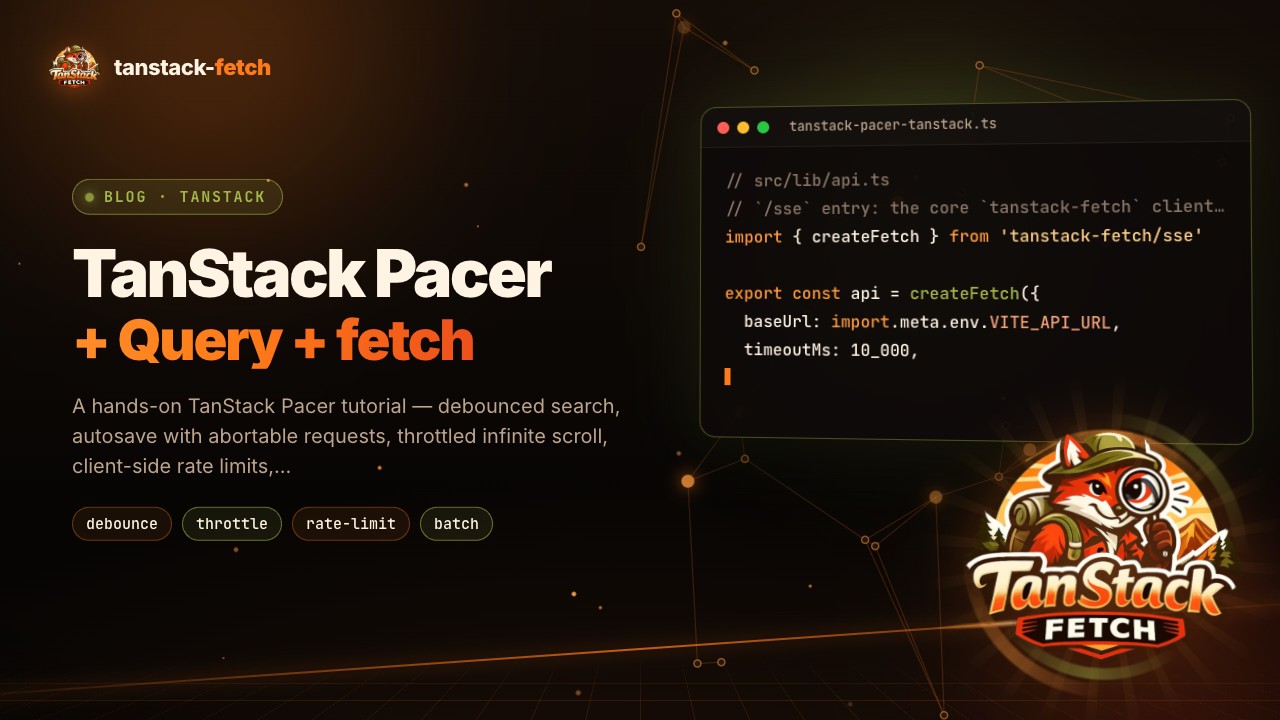
TanStack Pacer + TanStack Query: control when your requests run ​

October 28, 2026 · TanStack Pacer · TanStack Query · React

TanStack Pacer + TanStack Query: debounce, throttle, rate-limit, queue and batch your API calls

Stack

React 18+ · @tanstack/react-pacer · @tanstack/react-query · tanstack-fetch

Most data-fetching bugs I see in review are not about how a request is made. They are about when it is made:

  • A search box that fires a request on every keystroke.
  • An autosave that sends five overlapping PATCH calls, and the slowest one wins.
  • An infinite list that calls fetchNextPage sixty times per second while you scroll.
  • A bulk action that opens 200 parallel uploads and hits the API's rate limit.

TanStack Pacer is the TanStack library for exactly this problem. It gives you typed, framework-friendly primitives for debouncing, throttling, rate limiting, queuing and batching, with reactive state you can render.

In this tutorial we'll pair it with TanStack Query (the cache) and tanstack-fetch (the HTTP client), and build six patterns you can copy into a real app.

Version note

Pacer is still pre-1.0. Examples use @tanstack/pacer@0.23 / @tanstack/react-pacer@0.24. Option names are stable across recent releases, but check the Pacer docs when you upgrade.

I'm the author of tanstack-fetch. It's an independent community package, not an official TanStack project.

1. The mental model: three libraries, three jobs ​

These three tools do different jobs, and they fit together because none of them overlaps with the others:

LayerLibraryAnswers the question
TimingTanStack PacerWhen (and how often) should this function run?
CacheTanStack QueryDo we already have this data, is it fresh, who needs it?
Transporttanstack-fetchHow does the request go over the wire, and how does it fail?

The rule of thumb that drives every example below:

Pace the input, not the queryFn. Let Pacer decide when a value or a call is "settled", then hand it to Query. Query keeps owning the cache, deduping and cancellation.

2. Install and create one client ​

bash
npm install @tanstack/react-pacer @tanstack/react-query tanstack-fetch

@tanstack/react-pacer re-exports the core @tanstack/pacer utilities, so one package is enough for React.

ts
// src/lib/api.ts
// `/sse` entry: the core `tanstack-fetch` client has no `api.upload()` (used in section 7)
import { createFetch } from 'tanstack-fetch/sse'

export const api = createFetch({
  baseUrl: import.meta.env.VITE_API_URL,
  timeoutMs: 10_000,
})

Two properties of this client matter for pacing:

  1. It honors AbortSignal. When Query or Pacer abort a superseded call, the network request is really cancelled.
  2. It throws a typed FetchError (status, code, body) on non-2xx responses, and an AbortError / TimeoutError for cancellations. Pacer's onError and Query's error both receive something useful instead of a raw Response.

3. Debounced search with useDebouncedValue ​

The classic case. The user types t-a-n-s-t-a-c-k, and we only want one request after they pause.

tsx
// src/features/search/SearchUsers.tsx
import { useState } from 'react'
import { useDebouncedValue } from '@tanstack/react-pacer'
import { keepPreviousData, useQuery } from '@tanstack/react-query'
import { api } from '~/lib/api'

type User = { id: number; name: string; email: string }

export function SearchUsers() {
  const [search, setSearch] = useState('')
  const [debouncedSearch] = useDebouncedValue(search, { wait: 300 })

  const { data, isFetching, error } = useQuery({
    queryKey: ['users', 'search', debouncedSearch],
    queryFn: ({ signal }) =>
      api.get<User[]>('/users', { query: { q: debouncedSearch }, signal }),
    enabled: debouncedSearch.trim().length >= 2,
    placeholderData: keepPreviousData,
    staleTime: 30_000,
  })

  return (
    <>
      <input value={search} onChange={(event) => setSearch(event.target.value)} />
      {isFetching && <span>Searching…</span>}
      {error && <p role="alert">{error.message}</p>}
      <ul>{data?.map((user) => <li key={user.id}>{user.name}</li>)}</ul>
    </>
  )
}

Why this shape works:

  • The input stays instant. Only the query key is debounced, so typing never lags.
  • Every settled term is cached. Type react, then vue, then react again, and the third result comes from the cache.
  • Query cancels the stale request when the key changes, and because tanstack-fetch passes signal to fetch, the old request is aborted on the network too.
  • keepPreviousData keeps the old list on screen while the new one loads, so the UI doesn't flash empty.

Don't debounce the queryFn

Wrapping the queryFn in debounce() breaks Query's contract: the promise for a key may never resolve, retries get confusing, and the cache fills with keys that were never fetched. Debounce the value that becomes the key.

4. Autosave with useAsyncDebouncer and an abortable PATCH ​

Autosave is a mutation, not a query, and it needs more than a delay. We want:

  • one save after the user stops typing for 800 ms,
  • a "Saving… / Saved" indicator,
  • a way to cancel an in-flight save (discard draft, route change),
  • the cache updated with the server's response.

useAsyncDebouncer covers all four, and its getAbortSignal() plugs straight into tanstack-fetch:

tsx
// src/features/notes/useAutosaveNote.ts
import { useAsyncDebouncer } from '@tanstack/react-pacer'
import { useQueryClient } from '@tanstack/react-query'
import { isAbortError } from 'tanstack-fetch'
import { api } from '~/lib/api'

type Note = { id: string; title: string; body: string; updatedAt: string }
type NoteDraft = Pick<Note, 'title' | 'body'>

export function useAutosaveNote(id: string) {
  const queryClient = useQueryClient()

  const saver = useAsyncDebouncer(
    async (draft: NoteDraft): Promise<Note> =>
      api.patch<Note, { id: string }, NoteDraft>('/notes/:id', {
        params: { id },
        body: draft,
        signal: saver.getAbortSignal() ?? undefined,
      }),
    {
      wait: 800,
      onSuccess: (note) => queryClient.setQueryData(['notes', id], note),
      onError: (error) => {
        if (isAbortError(error)) return // discarded on purpose
        console.error('Autosave failed', error)
      },
    },
    // Only re-render for the fields the UI reads.
    (state) => ({ isPending: state.isPending, isExecuting: state.isExecuting }),
  )

  return {
    save: saver.maybeExecute,
    flush: saver.flush, // e.g. on blur or Ctrl+S
    discard: () => {
      saver.cancel() // drop the pending (not yet started) save
      saver.abort() // abort the PATCH already on the wire
    },
    status: saver.state.isExecuting ? 'saving' : saver.state.isPending ? 'pending' : 'idle',
  }
}
tsx
function NoteEditor({ note }: { note: Note }) {
  const { save, flush, status } = useAutosaveNote(note.id)
  const [draft, setDraft] = useState<NoteDraft>({ title: note.title, body: note.body })

  return (
    <form onBlur={() => flush()}>
      <input
        value={draft.title}
        onChange={(event) => {
          const next = { ...draft, title: event.target.value }
          setDraft(next)
          save(next)
        }}
      />
      <small aria-live="polite">{status === 'saving' ? 'Saving…' : status === 'pending' ? 'Unsaved changes' : 'Saved'}</small>
    </form>
  )
}

The third argument to useAsyncDebouncer is a selector. Pacer hooks only re-render for the state you select, so a component that ignores executionCount never re-renders because of it.

Why getAbortSignal() matters

Without a signal, discard() can only stop the next save. The request already sent would still land and overwrite whatever the user did next. Passing the signal means abort() cancels the request in the browser, and tanstack-fetch rejects with an AbortError that isAbortError recognizes.

5. Throttled infinite scroll with useThrottledCallback ​

Scroll events fire dozens of times per second. A throttle runs a function at most once per window, and unlike a debounce it keeps running while the user is still scrolling. That's what you want for "load more as I scroll".

tsx
import { useThrottledCallback } from '@tanstack/react-pacer'
import { useInfiniteQuery } from '@tanstack/react-query'
import { api } from '~/lib/api'

type Page = { items: Post[]; nextCursor: string | null }

export function Feed() {
  const feed = useInfiniteQuery({
    queryKey: ['feed'],
    queryFn: ({ pageParam, signal }) =>
      api.get<Page>('/feed', { query: { cursor: pageParam ?? '' }, signal }),
    initialPageParam: null as string | null,
    getNextPageParam: (last) => last.nextCursor,
  })

  const onScroll = useThrottledCallback(
    (element: HTMLElement) => {
      const nearBottom =
        element.scrollTop + element.clientHeight > element.scrollHeight - 600
      if (nearBottom && feed.hasNextPage && !feed.isFetchingNextPage) {
        feed.fetchNextPage()
      }
    },
    { wait: 200 },
  )

  return (
    <div className="feed" onScroll={(event) => onScroll(event.currentTarget)}>
      {feed.data?.pages.flatMap((page) => page.items).map((post) => (
        <PostCard key={post.id} post={post} />
      ))}
    </div>
  )
}

Query already dedupes fetchNextPage while a page is loading. The throttle just stops you from running layout math (scrollHeight) on every frame.

6. Client-side rate limits with useAsyncRateLimiter ​

Some APIs publish a hard quota: "5 requests per second per user" for a geocoder, an LLM endpoint, or a payment provider. Rather than collecting 429s, you can enforce the budget in the browser and tell the user before you send anything.

tsx
import { useAsyncRateLimiter } from '@tanstack/react-pacer'
import { api } from '~/lib/api'

type Place = { id: string; label: string; lat: number; lng: number }

export function useGeocode() {
  const limiter = useAsyncRateLimiter(
    (address: string) => api.get<Place[]>('/geocode', { query: { address } }),
    {
      limit: 5,
      window: 1_000,
      windowType: 'sliding', // smooth budget instead of a burst at every second boundary
      onReject: (_args, rateLimiter) => {
        const waitMs = rateLimiter.getMsUntilNextWindow()
        toast(`Slow down — try again in ${Math.ceil(waitMs / 1000)}s`)
      },
    },
    (state) => ({ isExceeded: state.isExceeded }),
  )

  return {
    geocode: limiter.maybeExecute, // resolves to undefined when rejected
    isLimited: limiter.state.isExceeded,
    remaining: limiter.getRemainingInWindow,
  }
}

The client limiter is a courtesy. The server still decides. Another tab, another device or a retry can still trigger a real 429. That case belongs to the transport layer, and tanstack-fetch has a first-class hook for it:

ts
import { createFetch, parseRetryAfter } from 'tanstack-fetch'
import { createStatusInterceptor } from 'tanstack-fetch/plugins'

export const api = createFetch({
  baseUrl: import.meta.env.VITE_API_URL,
  maxRetries: 2,
  interceptors: [
    createStatusInterceptor({
      429: ({ context }) => ({
        action: 'retry',
        delayMs: parseRetryAfter(context.response?.headers, 1_000),
      }),
    }),
  ],
})

Pacer keeps you under the quota, and tanstack-fetch handles it when you go over anyway. See the rate-limit recipe for the full 429 / Retry-After options.

7. Upload queue with useAsyncQueuer ​

Dropping 200 photos onto a page shouldn't open 200 connections. A queue processes items with a fixed concurrency, in order (or by priority), and exposes its progress as state.

tsx
import { useAsyncQueuer } from '@tanstack/react-pacer'
import { useQueryClient } from '@tanstack/react-query'
import { api } from '~/lib/api'

type UploadJob = { file: File; albumId: string; priority?: number }
type Photo = { id: string; url: string }

export function useUploadQueue() {
  const queryClient = useQueryClient()

  const queue = useAsyncQueuer(
    (job: UploadJob) =>
      api.upload<Photo>('/photos', { file: job.file, fields: { albumId: job.albumId } }),
    {
      concurrency: 3, // three uploads on the wire at a time
      wait: 100, // small gap between starts
      onSuccess: (_photo, job) =>
        queryClient.invalidateQueries({ queryKey: ['albums', job.albumId, 'photos'] }),
      onError: (error, job) => console.error(`Upload failed: ${job.file.name}`, error),
    },
    (state) => ({
      size: state.size,
      active: state.activeItems.length,
      done: state.successCount,
      failed: state.errorCount,
    }),
  )

  return {
    enqueue: (files: File[], albumId: string) =>
      files.forEach((file) => queue.addItem({ file, albumId })),
    pause: queue.stop,
    resume: queue.start,
    progress: queue.state,
  }
}

A few things you get without writing them:

  • Backpressure. concurrency: 3 caps open connections no matter how many files are dropped.
  • Pause / resume. stop() lets the active uploads finish and holds the rest until start().
  • Priorities. Give a job priority: 10 (the default getPriority reads item.priority) to move the cover photo to the front.
  • Typed failures. onError receives the tanstack-fetch FetchError, so you can show 413 Payload Too Large for that one file and keep the queue going.

8. Batching analytics with useAsyncBatcher ​

The opposite of a queue: instead of spacing calls out, collect many small calls and send them as one. Analytics events, read receipts and "mark as seen" are typical.

ts
import { useAsyncBatcher } from '@tanstack/react-pacer'
import { api } from '~/lib/api'

type TrackEvent = { name: string; at: number; props?: Record<string, unknown> }

export function useTracker() {
  const batcher = useAsyncBatcher(
    (events: TrackEvent[]) => api.post('/events', { body: { events } }),
    {
      maxSize: 20, // flush when 20 events are collected…
      wait: 2_000, // …or 2 s after the last one, whichever comes first
      onError: (error, batch) => console.warn(`Dropped ${batch.length} events`, error),
    },
  )

  return (name: string, props?: TrackEvent['props']) =>
    batcher.addItem({ name, at: Date.now(), props })
}

Fifty clicks become three requests, and tanstack-fetch serializes the body object to JSON for you.

TIP

Call batcher.flush() from a visibilitychange listener when the page is hidden, so the last batch is sent before the user leaves.

9. Retries: pick exactly one layer ​

This is the most common mistake when combining these libraries. Each layer can retry:

LayerSettingDefault
TanStack Queryretry3 for queries, 0 for mutations
Pacer (async)asyncRetryerOptions.maxAttempts1 (no retry) for async debouncer / queuer / batcher
tanstack-fetchmaxRetries + status interceptorsOnly when an interceptor asks for retry

If all three retry, one bad request can turn into 3 × 3 × 3 = 27 attempts. A sane split:

  • Status-aware retries (429 with Retry-After, 401 → refresh token) belong in tanstack-fetch, because only the transport sees headers and status.

  • Reads use Query's retry, and you can skip it for client errors:

    ts
    import { isFetchError } from 'tanstack-fetch'
    
    retry: (count, error) => !(isFetchError(error) && error.status < 500) && count < 3
  • Pacer's retryer is for paced work that isn't a Query: the upload queue, the batcher, the autosave. Turn it on deliberately with asyncRetryerOptions: { maxAttempts: 3, backoff: 'exponential' }.

10. Which Pacer utility should I use? ​

You want to…UseExample
Wait until input settles, then fetchuseDebouncedValueSearch, filters
Run one async call after a pause, with abort + stateuseAsyncDebouncerAutosave, validation
Run at most once per interval, during activityuseThrottledCallbackScroll, resize, drag
Stay under an external quotauseAsyncRateLimiterGeocoding, LLM APIs
Process many jobs with limited concurrencyuseAsyncQueuerUploads, bulk actions
Merge many small calls into one requestuseAsyncBatcherAnalytics, read receipts

Wrap-up ​

Each library has one job:

  • TanStack Pacer decides when work runs, and exposes that timing as reactive state.
  • TanStack Query decides whether work is needed, and owns the cache.
  • tanstack-fetch makes the request, honors AbortSignal, and fails with typed errors that both of the others can read.

Keep them in those roles and each pattern stays a few lines long: debounce the key, abort the superseded save, throttle the scroll math, rate-limit the quota, queue the uploads, batch the events.

MIT Licensed · Created by Mohammad Garmabi · Not an official TanStack package